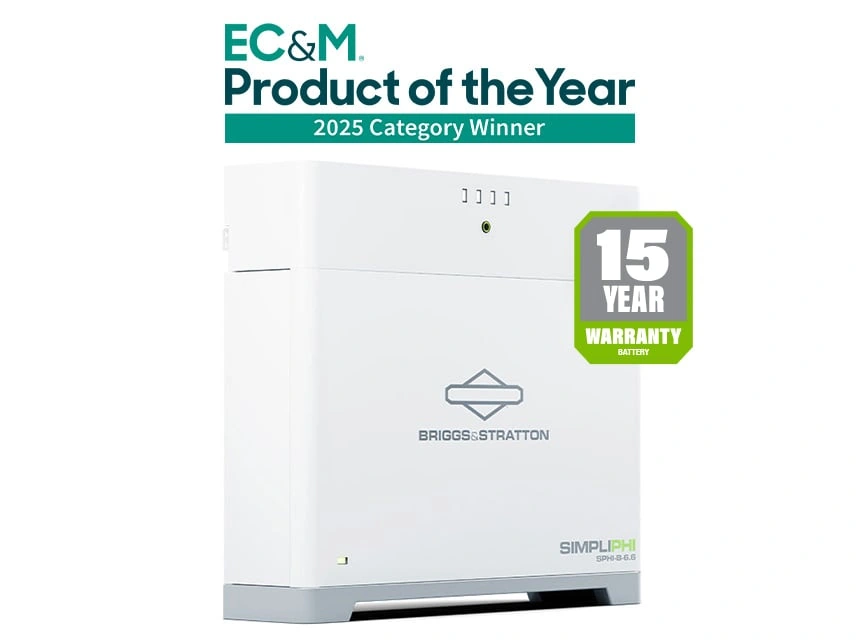
What I like about the Briggs & Stratton SimpliPHI 6.6 is that it isn’t just a box of stored energy. It’s designed to share useful battery information with a compatible inverter, while EnergyTrak gives the installer and homeowner another way to understand battery health and system status.
That matters in a Hawaii home because the battery may do more than sit by for an outage. It might store daytime solar power, carry selected loads at night, reduce grid use during expensive hours, or work alongside a generator. Those jobs are easier to manage when the inverter knows what the battery can safely accept or deliver.
Closed-loop communication has a practical job
The SimpliPHI 6.6 stack includes battery modules and a dedicated battery controller. The battery management system, or BMS, watches operating conditions such as voltage, current, temperature, state of charge, and protective limits. The controller helps organize that information for the rest of the system.
That is the useful idea behind closed-loop communication. Instead of asking the inverter to operate from a few fixed battery settings, the battery can report its condition and limits through the supported communication path. The inverter can then make charging and discharging decisions with better information.
Briggs & Stratton currently lists closed-loop integration with specific platforms from EG4, Growatt, Megarevo, Solis, and Sol-Ark. I would not treat that list as permission to mix any inverter with any battery. The exact inverter model, firmware, communication cable, and integration guide still need to match.
The battery numbers still shape the design
Each SimpliPHI 6.6 battery is rated at 51.2 volts nominal and 6.656 kilowatt-hours. The manufacturer lists a maximum continuous discharge rate of 130 amps and a maximum continuous charge rate of 100 amps.
A simple nameplate calculation is 51.2 volts × 130 amps, or about 6.7 kilowatts of battery-side power at nominal voltage. That is a useful way to understand the scale of one battery. It is not a promise that every inverter can use that full amount, or that the home will receive that much alternating-current power after inverter limits and losses.
The modular design gives you room to plan. Three batteries provide 19.95 kilowatt-hours of nameplate energy in one stack. Briggs & Stratton lists expansion up to 18 batteries, or 119.7 kilowatt-hours, across six stacks. Your actual battery count should come from the loads you want to run, the inverter’s battery-current limits, and how long you want those loads to operate.
EnergyTrak is the monitoring and support window
EnergyTrak adds a separate view of the battery system. It can show system health, warnings, faults, connected equipment, and commissioning information. That helps answer questions such as, “Is the battery reporting a problem?” or “Did the system finish commissioning and detect the equipment correctly?”
There’s an important distinction here. Closed-loop communication is the battery’s operating conversation with a supported inverter. EnergyTrak is the monitoring and commissioning path. With a third-party inverter, the EnergyTrak documentation says the inverter may not be detected, and the app may simply ask you to confirm which inverter is installed. The inverter’s own app may remain the main place to view solar production, loads, grid exchange, and inverter operation.
I like that separation because it gives us a cleaner support conversation. If the battery is healthy but the inverter is not charging, we investigate the inverter side. If the battery reports a communication or temperature fault, we look at the battery system. Good monitoring doesn’t replace correct installation, but it can keep a service call from turning into guesswork.
Where this battery fits well
I’d look closely at the SimpliPHI 6.6 when you want a 51.2-volt-class battery system that can start with one battery and grow later. RapidStak connections, ground or wall mounting, and indoor or outdoor installation give the system practical flexibility. The product page also lists an IP65 rating when installed, so the final location and installation method still matter.
If you want to see the physical system, Briggs & Stratton’s SimpliPHI 6.6 Battery System video is a useful introduction to the battery stack, RapidStak approach, and overall product design. It’s a general product lesson, not a substitute for matching your exact inverter and communication equipment.
The next step is to start with your essential loads and the inverter you want to use. Then I can check the supported integration, battery quantity, communications equipment, installation location, and backup priorities together. Contact SolarMan and I’ll help you decide whether the SimpliPHI 6.6 is a good match for the system you’re trying to build.