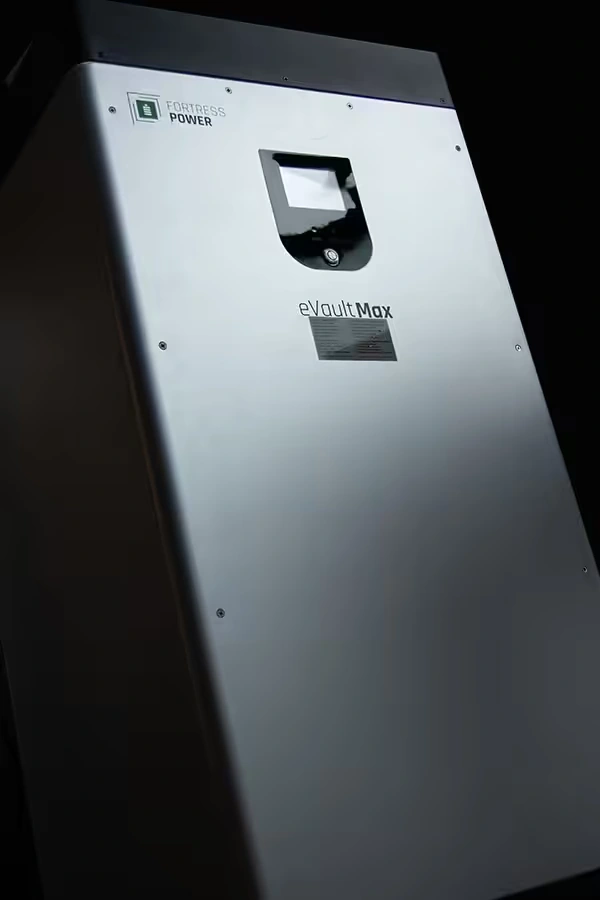
What I like about the Fortress Power eVault MAX is that it gives a large 48-volt system both substantial storage and a clear way to share battery information with the inverter. That matters when a Hawaii backup system needs to charge, support important loads during an outage, and recover before the next stretch of poor weather.
I don’t treat 18.5 kilowatt-hours as the whole story. The eVault MAX is a 51.2-volt lithium iron phosphate battery with 18.5 kWh of listed energy, a built-in battery-management system, an LCD touchscreen, and Controller Area Network (CAN) or RS485 communication. Fortress also lists compatibility with its ENVY inverters and Solo 6.5K, along with several other inverter families.
The BMS works on its own, and communication improves coordination
The eVault MAX has its own battery-management system, or BMS. Fortress says communication is not required for a battery-based inverter to operate the system. Closed-loop communication is still recommended because it can improve battery and inverter performance.
In ordinary language, closed loop means the battery and inverter share operating information instead of the inverter relying only on fixed voltage settings. The inverter can use the battery’s reported condition and operating limits to coordinate charging and discharging more intelligently. That communication does not replace correct inverter settings or the battery’s own BMS protections.
It also does not make every inverter automatically compatible. The communication path depends on the inverter model, firmware, protocol, cable, and the specific Fortress integration information for that equipment. I would not treat a generic “lithium battery” menu setting as proof that the system is correctly matched.
Here is the practical Hawaii example
Suppose you want backup power for refrigeration, pumps, internet equipment, lighting, and selected air-conditioning loads. One eVault MAX gives you a substantial energy reserve, but the inverter still has to handle those loads, and the battery still has to supply the inverter’s battery-side current.
During a sunny afternoon, the battery may accept charging from the solar system. Later, when the utility goes down, the inverter may draw energy from the battery to support the backed-up loads. Those conditions are not identical. A properly matched communication path gives the inverter better information about what the battery is ready to do at that moment.
For a larger project, Fortress lists the eVault MAX for parallel expansion, with up to 20 units and 370 kWh of total listed storage. That can be useful for a large home, agricultural operation, or light-commercial application. Adding batteries also adds communication, current-sharing, protection, and commissioning decisions. More cabinets do not remove the need for a coordinated design.
The startup sequence is part of the design
Fortress’s current installation manual gives the eVault MAX battery identity and protocol settings, along with instructions for battery-to-battery communication when multiple units are used. The exact settings are not something I would guess from a different Fortress battery or an older manual.
For one battery, the installer still needs to confirm polarity, breaker status, inverter settings, and the battery’s startup behavior. For multiple batteries, the system also needs the correct battery identification and communication arrangement. The goal is simple: the inverter should know which battery or battery bank it is talking to before the system is asked to carry real household loads.
If you want a plain-language primer before looking at the battery menu, Kvaser’s Controller Area Network (CAN) lesson explains how machines exchange messages over a CAN network. That makes it easier to understand why the eVault MAX and inverter need matching protocol and connection details. The exact eVault MAX setup still comes from Fortress Power’s integration information for the inverter being installed.
Where I would consider the eVault MAX
I would consider this battery when you want a substantial 48-volt storage cabinet, a top-access design, a local display, and a path toward closed-loop control with a compatible inverter. It can make sense for whole-home backup, off-grid systems, and larger solar-storage projects where one small battery would leave too little reserve.
I would start the conversation with your inverter model, the loads you want during an outage, whether you already have solar, and how much recovery you want after a cloudy day. Bring me those details, and I can help you evaluate whether one eVault MAX fits, whether parallel batteries are justified, and which communication and commissioning plan belongs with the system.