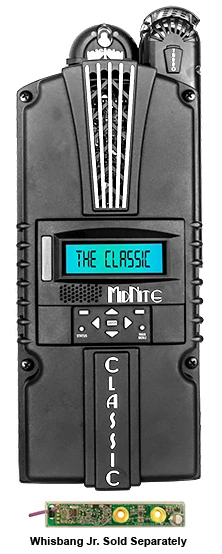
When a customer tells me, “The sun is out, but my Classic 150 says Resting,” I don’t jump straight to a failed controller. That message can be normal. It can also point to a setup, battery-voltage, or solar-input problem. The useful part is that the Classic gives us several clues before we start replacing equipment.
That is one reason I still like the MidNite Classic 150. It is not just a box that turns solar power into battery charging. Its display gives you a short operating story, and its internal logs let us look back at what happened during the day.
“Resting” does not automatically mean “broken”
In normal solar operation, the Classic may rest when there is not enough usable PV power available, such as at night or during very poor light. It can also rest when the battery is already at or above the controller’s target charging voltage. Seeing Resting in the late afternoon, after the bank has reached its charging target, may be completely ordinary.
The first useful number is the photovoltaic, or PV, open-circuit voltage shown on the status screen. MidNite’s troubleshooting guidance says the PV voltage should be at least about 133% of the battery voltage at that moment for the controller to begin charging properly. That is a screening number, not a substitute for a complete string-design check, but it quickly tells us whether the controller is seeing enough voltage to operate.
For example, if a 48-volt battery bank is sitting near 52 volts and the Classic shows PV voltage close to the battery voltage, I would investigate the array path or a connection problem. If the PV voltage is comfortably higher but the battery is already at its target, Resting may simply mean the controller has finished that part of the day’s work.
The display helps separate three different situations
I like to read the Classic in an order that keeps the diagnosis simple.
First, look at the charge stage and operating mode. The Classic can show stages such as Bulk MPPT, Absorb, Float, Float MPPT, and Resting. Also confirm that the operating mode is on and matches the energy source. A controller that has been left in an off or incorrect mode will not behave like one that is actively harvesting solar power.
Next, compare PV voltage with battery voltage. A PV voltage well above battery voltage tells us the Classic is seeing array voltage, but it does not by itself prove that useful charging current is flowing. If the input voltage falls close to battery voltage while the Classic repeatedly changes between Resting and Bulk MPPT, MidNite identifies that pattern as a possible connection problem, especially in low-light conditions.
Then, look at the history instead of judging one moment. The Classic stores up to 380 days of data. Its daily history can show kilowatt-hours, maximum power, float time, maximum input voltage, and maximum battery voltage. Recent history is captured every five minutes while the Classic is charging, so it can help show when production changed or when the system reached Float. If you want to record Resting conditions too, MidNite documents a separate night-logging setting.
A useful Hawaii example
Imagine a cabin system that usually reaches Float by early afternoon. One day, the owner checks the display at 3 p.m. and sees Resting. The battery voltage is already at the programmed target, and the log shows normal energy production earlier that morning. I would not treat that as a failure.
Now imagine the same controller shows Resting at 10 a.m., the battery is below its charging target, and PV voltage is only a little higher than battery voltage. The recent history shows brief charging periods with almost no energy collected. That combination deserves a closer look at array voltage, shading, disconnect status, and the PV circuit by a qualified installer.
If you want to use the logs seriously, make sure the Classic’s date and time are correct. MidNite also documents a night-logging option for recording conditions while the controller is resting. That makes the stored information much more useful when we are comparing a sunny day, a cloudy day, and a day with a suspected equipment problem.
What I want you to bring me
If your Classic 150 is not charging the way you expect, take a picture of the main status screen, the PV voltage screen, and the recent history if you can. Write down the battery voltage, the time of day, the weather, and whether large loads were running. Those details are far more useful than simply saying, “The panels stopped working.”
For a general visual lesson on why voltage alone does not tell the whole charging story, altE Store’s Troubleshooting a Solar Charge Controller video shows how to check both voltage and charging current while tracing energy from a small solar panel through a controller and into a battery. That is a useful companion to the Classic’s own screens, especially when you are deciding whether the controller is actually moving energy into the battery.
Bring those readings to SolarMan, along with your battery-bank voltage, panel arrangement, inverter model, and a few equipment photos. I can help determine whether the Classic 150 is seeing a normal charging condition, a configuration issue, or a problem that deserves a proper field inspection.