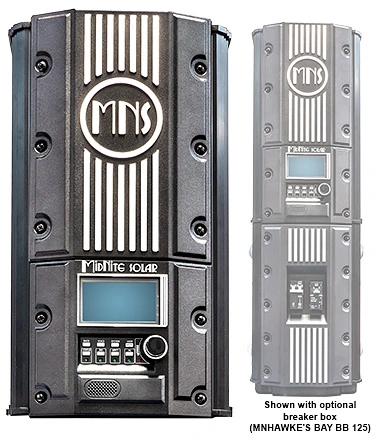
What I like about the MidNite Hawke's Bay is that it can be the solar-charging part of a larger system without becoming an isolated box that you have to understand by itself. When I pair the Hawke's Bay with a MidNite Rosie inverter, the CAN bus network and MNGP2 control panel can give you one clearer way to look at the equipment.
That matters in a Hawaii system because the charge controller and inverter are doing different jobs. The Hawke's Bay takes high-voltage photovoltaic power and charges the 48-volt battery bank. The Rosie converts battery power into household alternating-current power and can also charge the battery from an approved alternating-current source. They are separate devices, but they need to operate around the same battery and system plan.
One control point is easier than two unrelated screens
MidNite documents the MNGP2 as a control and programming module for the Hawke's Bay, Barcelona, and Rosie. Its CAN bus connection lets one MNGP2 recognize multiple connected devices by name. In practical terms, that means you can move between the Hawke's Bay and Rosie instead of treating each piece of equipment as a separate conversation.
I find that especially useful when you are trying to understand a quiet solar day. The Hawke's Bay can show you photovoltaic voltage, charging current, and charge stage. The Rosie can show you battery voltage, inverter output, AC source status, and loads. Seeing those related readings through one system interface can make it easier to tell whether the battery is charging normally, the home is simply using the available power, or one device needs attention.
The shared profile is helpful, but it is not magic
The Hawke's Bay manual describes two kinds of names: the individual device name and the system name. System naming stores pre-selected parameters that can be shared across connected devices. MidNite's example shows a second Hawke's Bay inheriting the selected lithium charging profile. That gives us a common starting point without pretending every device's settings are identical.
Here is the customer benefit: a Hawke's Bay and Rosie can be planned around the same 48-volt battery rules rather than being configured as strangers. That can reduce confusion during commissioning and future service. The controller is available in 90-amp and 120-amp versions, but both are 48-volt battery equipment. The choice between them still depends on the battery bank's permitted charging current, the solar array, and your expansion plan.
I would not treat a shared system profile as automatic proof that every battery or inverter combination is approved. The battery chemistry and charge limits still have to match, each device keeps its own settings, and firmware compatibility matters when we connect equipment. Shared settings help organize a correct design; they do not replace one.
Where this fits in a real customer system
This arrangement makes the most sense when you want a component-based system that can grow in an understandable way. For example, a Rosie may handle the home's 120/240-volt loads while a Hawke's Bay handles a separate high-voltage solar array. You can then use the MNGP2 to identify the devices, review the battery settings, and watch how solar charging and inverter demand interact.
It also gives us a cleaner conversation if something looks unusual. If the Rosie is supplying the house but the Hawke's Bay shows little charging current, we can look at sun conditions, battery voltage, charge stage, and load behavior before assuming the controller or array has failed. Good monitoring does not fix a wiring or programming problem, but it helps us ask the right question sooner.
A short lesson from High Performance Academy explains the basic idea behind a Controller Area Network, or CAN bus: devices share information over a connected communication network instead of requiring a separate control cable for every signal. It is a general electronics lesson, not a review of the Hawke's Bay, but it gives you a useful picture of why connected equipment can exchange information.
If you are considering a Hawke's Bay with a Rosie, I would start with your battery model, expected charging current, solar-array plan, and the loads you want backed up. Bring me those details, and I can help determine whether the 90-amp or 120-amp Hawke's Bay and the MNGP2-based system approach fit your home.