What I like about the EG4 FlexBOSS21 is that it gives us room to design around the way your home actually uses power. It isn’t just a battery inverter waiting for the grid to fail. Paired with the EG4 GridBOSS, it can sit at the center of a system that manages backed-up loads, non-backed-up loads, selected smart loads, AC-coupled solar, and a generator.
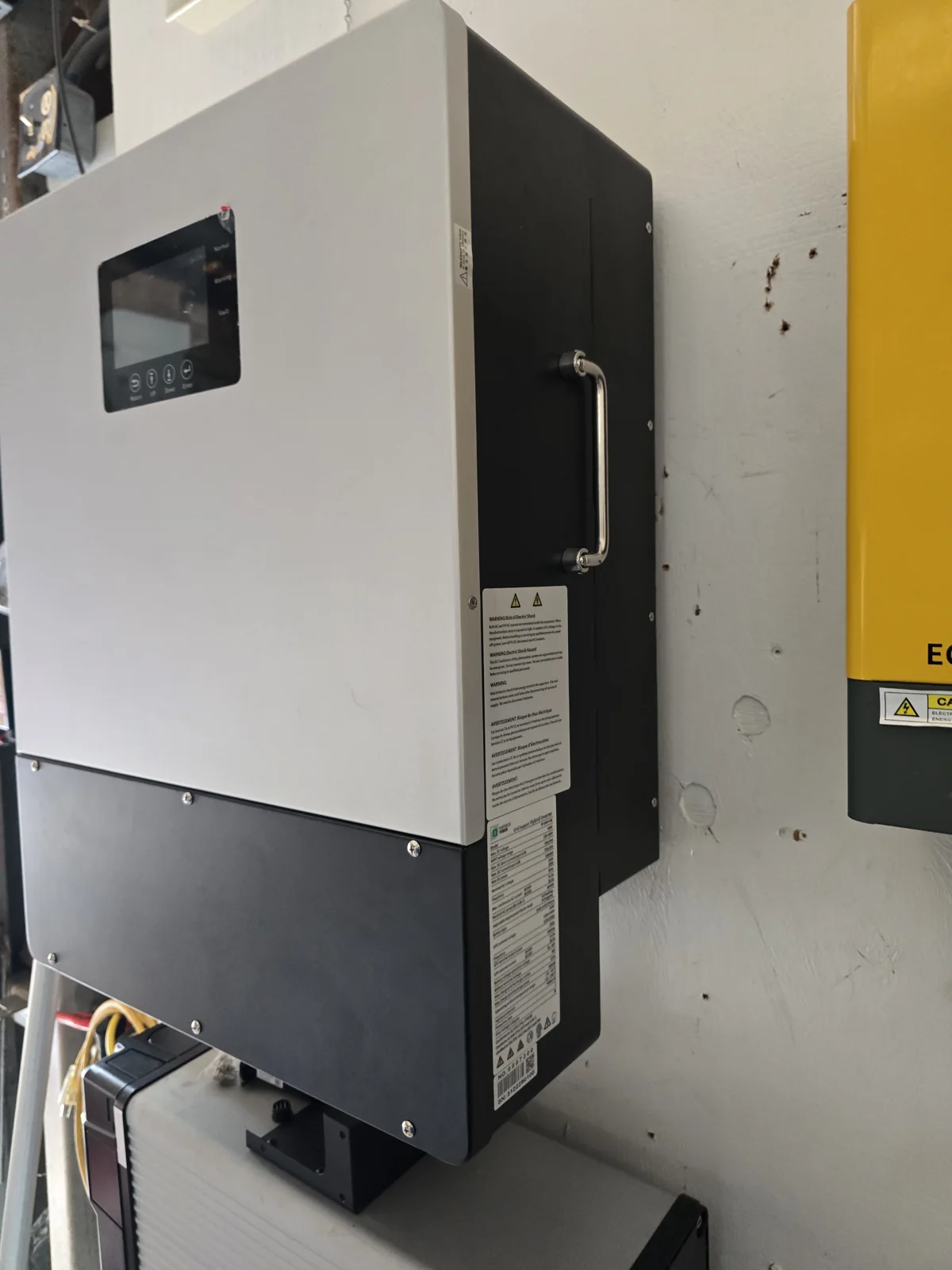
That distinction matters here in Hawaii. You may want the refrigerator, water system, internet equipment, lighting, and selected air-conditioning circuits available during an outage. You may also want an electric vehicle charger, water heater, or pool pump to run only when solar and battery conditions are favorable. The FlexBOSS21 and GridBOSS give us a way to discuss those jobs separately instead of putting every circuit into one oversized wish list.
The inverter rating is only one part of the plan
The FlexBOSS21 is rated for up to 12 kilowatts of continuous output when battery power is doing the work by itself. With photovoltaic (PV) power and grid support available, EG4 lists up to 16 kilowatts of continuous output at 240 volts. That is useful capacity, but it does not mean every home can run every load at once. Your battery bank, service equipment, motor-starting events, and load priorities still shape the design.
Here’s a simple example. Suppose your essential circuits normally use 4 kilowatts, but a well pump or air conditioner briefly demands much more when it starts. The FlexBOSS21’s published peak-power and locked-rotor-current ratings give us useful room to evaluate that event. I still want to see the actual motor, the battery’s permitted discharge current, and the wiring path before I promise that a particular pump or air conditioner will start reliably.
GridBOSS gives the system a practical center
The GridBOSS is the piece that makes the whole-home architecture easier to understand. EG4 describes it as a central connection point for utility power, hybrid inverters, a generator, and loads. It supports separate backed-up and non-backed-up load sections, along with four programmable ports that can be assigned to smart loads or AC-coupled equipment according to the system design.
That can be valuable when your home has loads that matter, but don’t all need to operate during an outage. A heat-pump water heater might be a good daytime solar load. An electric vehicle charger might be allowed to run when the battery’s state of charge is healthy. A pool pump might be scheduled rather than left on continuously. The point isn’t to switch equipment randomly. The point is to make the system’s priorities visible and controllable.
GridBOSS can also provide a place for generator integration. If a long cloudy period leaves the battery too low and solar production is not recovering it, the generator can become part of the recovery plan. The inverter still needs the correct battery settings and operating limits, and the generator still needs to be sized and connected for the intended job. But the architecture gives us another source of energy without treating the generator as an afterthought.
Existing solar may have a place, too
Another useful relationship is AC coupling. If you already have a grid-tied solar system, the FlexBOSS21 and GridBOSS may give us a path to evaluate that existing solar equipment for a larger backup design. The exact inverter, approvals, control method, and power level still have to be checked. I would not assume that any existing solar inverter automatically belongs in the new system. But I do like having AC coupling available as a design option instead of discarding equipment before we understand what it can contribute.
Commissioning deserves part of the design conversation
With a GridBOSS installation, firmware and configuration are not minor details. EG4’s FlexBOSS21 manual specifies a minimum firmware level for GridBOSS operation. It also says that the FlexBOSS21 load port and supplied current transformers are not used in the same way when the inverter is paired with GridBOSS, and that parallel inverters need to be configured before the GridBOSS configuration.
That is why I prefer to discuss the system as a complete arrangement: your service size, the backed-up circuits, the battery bank, the solar equipment, any generator, and the loads you want controlled. The FlexBOSS21 has strong numbers, but the real customer benefit comes from assigning those numbers to the jobs your home needs done.
AltE Store’s What can I power with a 100W solar panel? lesson is a useful general introduction to that planning habit. It starts with the loads, works through solar energy and battery capacity, and shows how inverter losses affect the final answer. It won’t replace a FlexBOSS21 design, but it gives you a straightforward way to think about what the system must actually accomplish.
If you’re considering the EG4 FlexBOSS21, contact SolarMan and bring me the loads you want protected, the solar equipment you already have, your battery plans, and whether a generator or flexible loads belong in the conversation. I’ll help you decide whether this larger FlexBOSS21 system architecture fits your Hawaii home—or whether a simpler arrangement would serve you better.